### mj-group

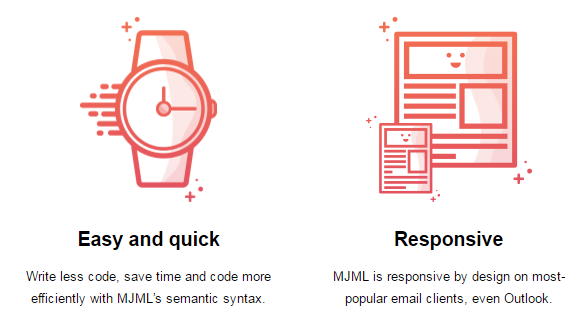
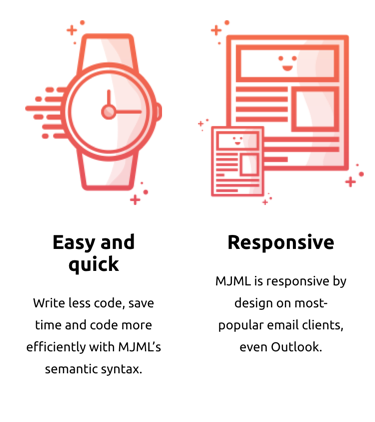
Prevent adjacent `mj-column` instances from stacking on mobile by wrapping them inside an `mj-group` tag, keeping them side by side on mobile.

<figure>
  <figcaption>Desktop</figcaption>
  <img src="https://static.mailjet.com/mjml-website/documentation/group-example-1.png"
       alt="easy and quick; responsive" />
</figure>

<figure>
  <figcaption>Mobile</figcaption>
  <img src="https://static.mailjet.com/mjml-website/documentation/group-example-2.png"
      alt="easy and quick; responsive" />
</figure>

```xml
<mjml>
  <mj-body>
    <mj-section>
      <mj-group>
        <mj-column>
          <mj-image width="137px" height="185px" padding="0" src="https://static.mailjet.com/mjml-website/documentation/group-1.png" />
          <mj-text align="center">
            <h2>Easy and quick</h2>
            <p>Write less code, save time and code more efficiently with MJML’s semantic syntax.</p>
          </mj-text>
        </mj-column>
        <mj-column>
          <mj-image width="166px" height="185px" padding="0" src="https://static.mailjet.com/mjml-website/documentation/group-2.png" />
          <mj-text align="center">
            <h2>Responsive</h2>
            <p>MJML is responsive by design on most-popular email clients, even Outlook.</p>
          </mj-text>
        </mj-column>
      </mj-group>
    </mj-section>
  </mj-body>
</mjml>
```

<div class="alert alert-important" role="alert">
  <p>Important</p>
  <p>Column inside a group must have a width in percentage, not in pixel.</p>
</div>

<div class="alert alert-note" role="alert">
  <p>Note</p>
  <p>You can nest both <code>mj-column</code> and <code>mj-group</code> inside a <code>mj-section</code>.</p>
</div>


#### Attributes

| attribute        | accepts           | description                                        | default attributes                             |
| ---------------- | ----------------- | -------------------------------------------------- | ---------------------------------------------- |
| background-color | CSS color formats | background color for a group                       |                                                |
| css-class        | string            | class name, added to the root HTML element created |                                                |
| direction        | `ltr` `rtl`       | set the display order of direct children           | `ltr`                                          |
| vertical-align   | string            | CSS values, e.g. `middle` `top` `bottom`           |                                                |
| width            | `px` `%`          | group width                                        | (100 / number of non-raw elements in section)% |

<p class="cta-container"><a class="cta" href="https://mjml.io/try-it-live/components/group">Try it live</a></p>
